# Edit On-Call Schedule in Elevate

**1.** <span class="stepTitleText">Log in to the Elevate admin panel</span>

Go to: [**https://cp.serverdata.net/**](https://cp.serverdata.net/)
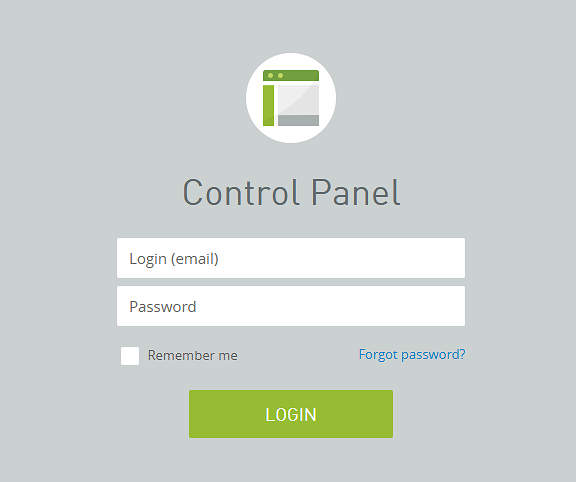
![Log in to the Elevate admin panel](https://kb.calicosystems.net/uploads/images/gallery/2026-07/embedded-image-f9ibdhja.png)

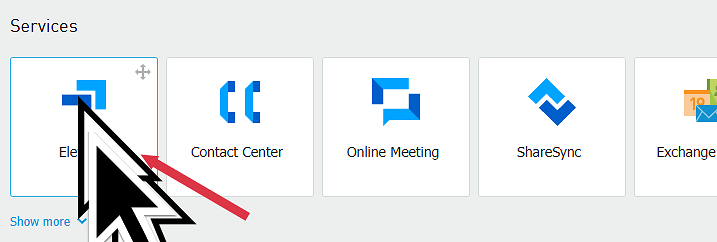
<div class="stepCard" id="bkmrk--2"></div>**2.** <span class="stepTitleText">Click "Elevate"</span>

![Click "Elevate"](https://kb.calicosystems.net/uploads/images/gallery/2026-07/embedded-image-c9myxx49.png)

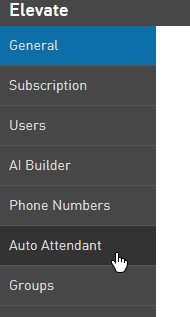
<div class="stepCard" id="bkmrk--4"></div>**3.** <span class="stepTitleText">Click "Auto Attendant" on the left hand side</span>

![Click "Auto Attendant" on the left hand side](https://kb.calicosystems.net/uploads/images/gallery/2026-07/embedded-image-mjvkgff8.png)

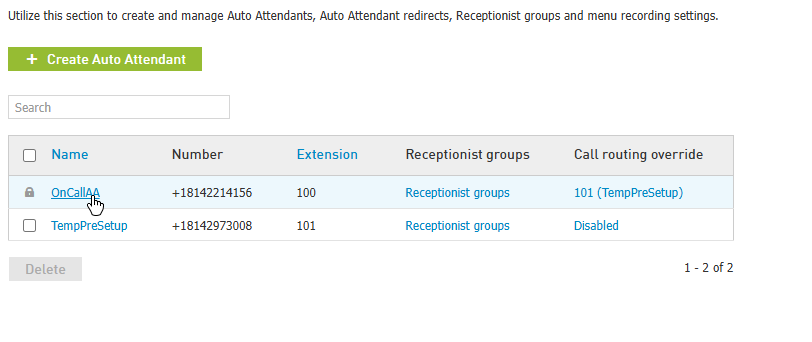
<div class="stepCard" id="bkmrk--6"></div>**4.** <span class="stepTitleText">Click "OnCallAA"</span>

**IMPORTANT: Until the final switchover, please click "TempPreSetup"**
<div class="stepCard" id="bkmrk--7"><div class="stepDescription quillClasses">  
</div>  
</div>![Click "OnCallAA"](https://kb.calicosystems.net/uploads/images/gallery/2026-07/embedded-image-o6ndvj21.png)

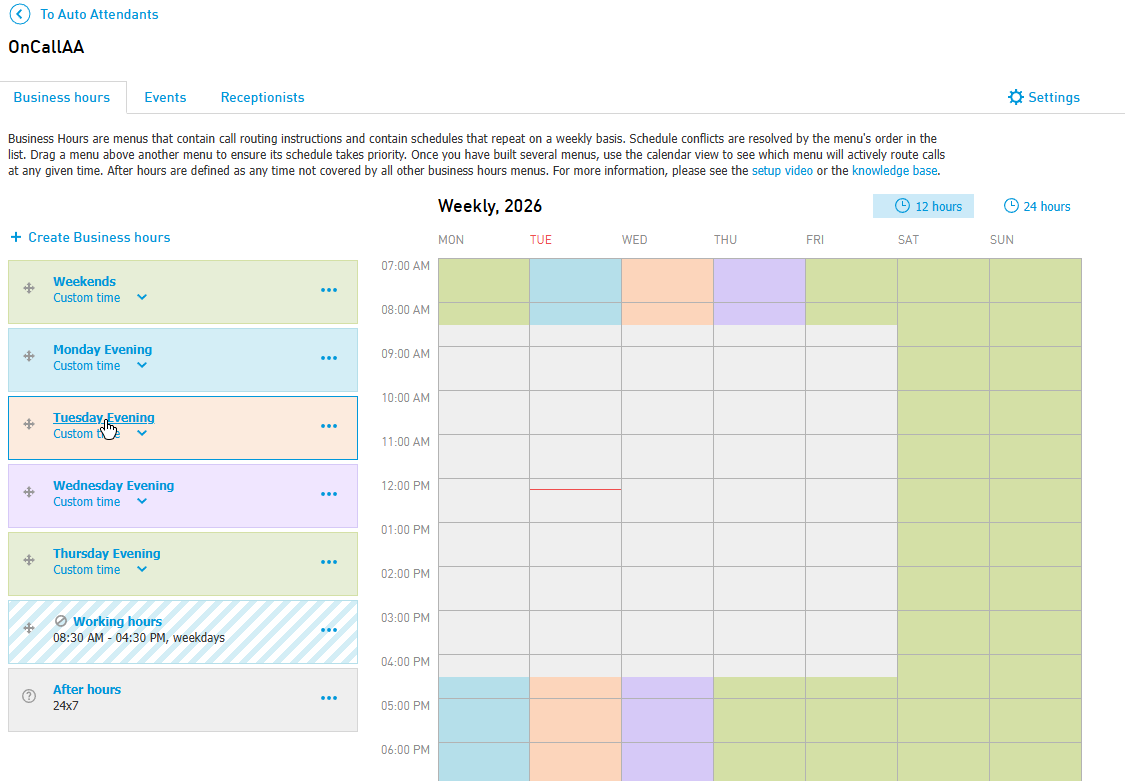
<div class="stepCard" id="bkmrk--9"></div>**5.** <span class="stepTitleText">Click the time slot you want to edit</span>

![Click the time slot you want to edit](https://kb.calicosystems.net/uploads/images/gallery/2026-07/embedded-image-omhgyypv.png)

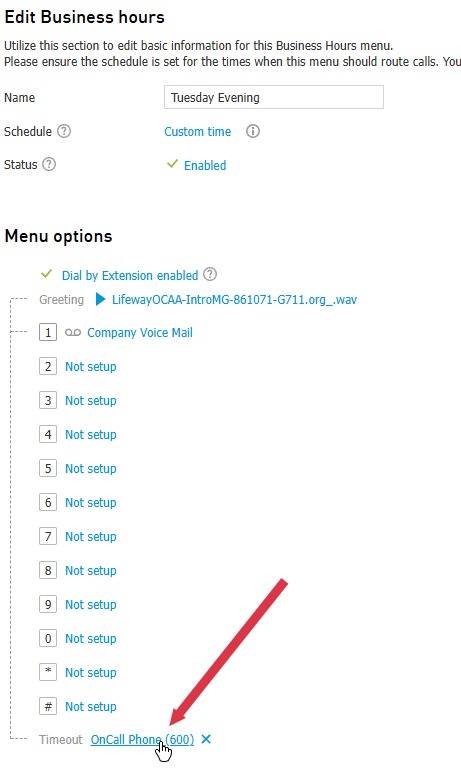
<div class="stepCard" id="bkmrk--11"></div>**6.** <span class="stepTitleText">At the bottom of the page that appears, click the text next to "Timeout"</span>

![At the bottom of the page that appears, click the text next to "Timeout"](https://kb.calicosystems.net/uploads/images/gallery/2026-07/embedded-image-kqg9cxto.png)

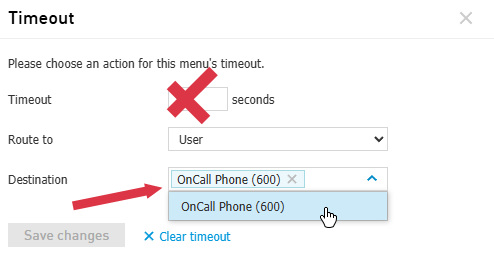
<div class="stepCard" id="bkmrk--13"></div>**7.** <span class="stepTitleText">Click the down arrow next to "destination"</span>

Choose the user that you want the calls to go to. DO NOT change the "Route to" or "Timeout" options
<div class="stepCard" id="bkmrk--14"><div class="stepDescription quillClasses">  
</div>  
</div>![Click the down arrow next to "destination"](https://kb.calicosystems.net/uploads/images/gallery/2026-07/embedded-image-vulzi0rm.png)

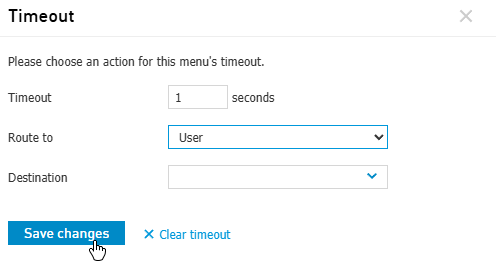
<div class="stepCard" id="bkmrk--16"></div>**8.** <span class="stepTitleText">Click "Save changes" when you are finished</span>

![Click "Save changes" when you are finished](https://kb.calicosystems.net/uploads/images/gallery/2026-07/embedded-image-tru8bfal.png)

<div class="stepCard" id="bkmrk--18"></div>**9.** <span class="stepTitleText">That's it! The schedule has been changed.</span>

Follow these steps to verify who is set to receive calls.